- Oct 14 Thu 2021 19:28
-
How to work use Porsche Piwis 3?
- Oct 13 Wed 2021 15:02
-
Where to buy MaxiIM IM608 PRO?

Autel MaxiIM IM608 Description:
MaxiIM IM608 PRO is the most advanced and unique all in one key programming and diagnostic tool that combines advanced key programming, all systems diagnostics, and advanced services in one Android based 10.1-inch touchscreen tablet. It is equipped with XP400 PRO key programmer and MaxiFlash ECU programmer to provide complete coverage of IMMO and programming functions. IM608 PRO provides you with all special functions to quickly diagnose all modules for the majority of the makes and models on the market. It is the unprecedented key programming and diagnostic tool that you ever wanted.
- Oct 11 Mon 2021 16:07
-
2021 Mercedes Benz C6 DoIP Xentry Diagnosis VCI software Details
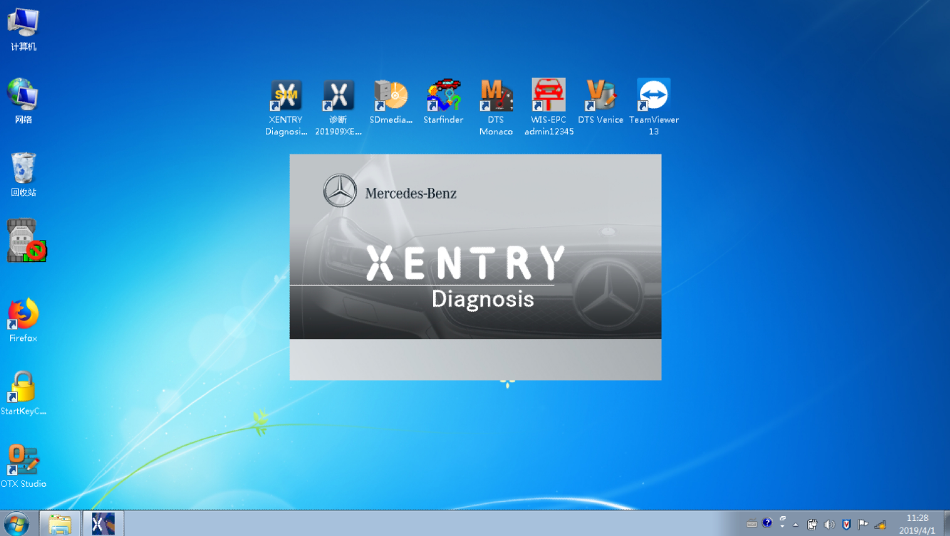
Multi in one DoIP OE diagnosis is a real DoIP original diagnosis instrument based on DOP, J2534 and more original protocols adaptation under OEMD brand. It not only supports all J2534 protocols, but also takes the lead in realizing perfect and complete DoIP adaptation in the industry, replacing the original diagnosis instrument’s adaptation ability, programming ability, diagnosis and programming speed, stability and original diagnosis. The ability of the instrument has been greatly improved, taking the lead in the industry to replace C6 in an all-round way, and it is also the first comprehensive original diagnostic instrument in the industry to realize all functions of ICOM A2 and VAS6154. OD6 has really raised the multi in one and comprehensive original diagnosis instrument to a new benchmark height, which has become the only choice for J2534 and DoIP OE diagnosis tool.
2021 Mercedes Benz C6 DoIP Xentry Diagnosis VCI software display:
Benz software include two versions of PASSTHRU & PDU,including DAS,Xentry software.Version of PDU support new car models of 222,213,205 etc,other car models need to usepassthru version to diagnose. Not support old models of 210,203,220 with K-Line communication. It support connections of WIFI,LAN and USB.
- Oct 08 Fri 2021 18:03
-
Best Quality 2021A CAT Caterpillar ET Diagnostic Adapter III- Only US$888.00
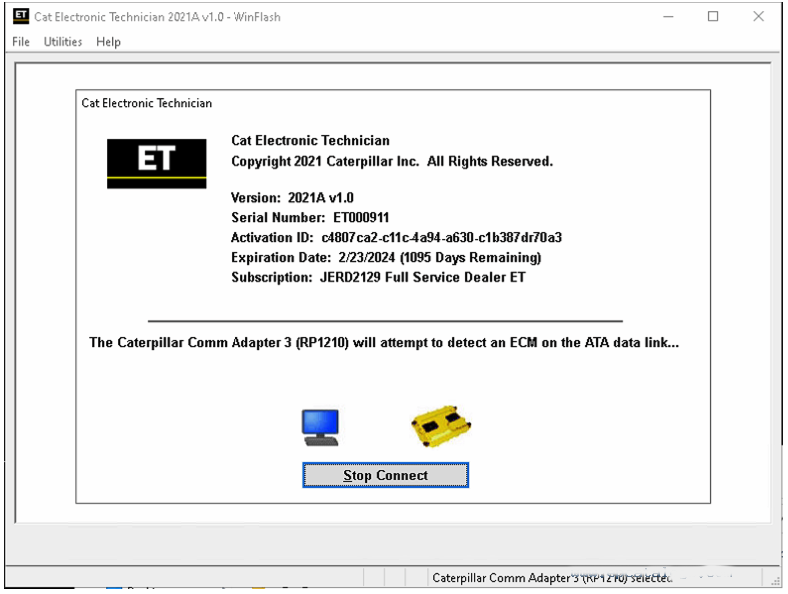
CAT Caterpillar ET Diagnostic Tool Product Description :
CAT Caterpillar ET Diagnostic Tool from Caterpillar provide the capability to access Electronic Control Modules (ECMs) from a personal computer. Many job-critical tasks can be performed with an electronic service tool. The user can display the status of a group of parameters (temperatures, pressures, etc.) simultaneously, view active and clear logged diagnostics, display the current configuration of an ECM and much more. The service tool works with a communication adapter to allow connection to an ECM. A graphical interface makes this software quick to learn and easy to use. A separate pull-down menu for each function enhances the “ease of use.” The version and identification of the ECM is automatically retrieved and is displayed on a summary screen when the program is started. Diagnostic tests and calibrations can also be performed.
CAT Caterpillar ET Diagnostic Tool enable service technicians to reprogram ECMs, reconfigure control system parameters, fine tune performance or diagnose the root cause of a failure the first time. These powerful tools allow service personnel to display and analyze vital performance and health information from any system quickly and accurately. The service tool communicates with any system using ATA (J1708), J1939 or the Caterpillar proprietary data link networks. The service tools provide information and features needed to help a technician diagnose problems and perform repairs and to customize and personalize the operation of a product. By allowing customers to design flexibility and configurability into a product, Caterpillar service tools stretch beyond the capabilities of preprogrammed ECMs or onboard display systems.
- Oct 03 Sun 2021 16:21
-
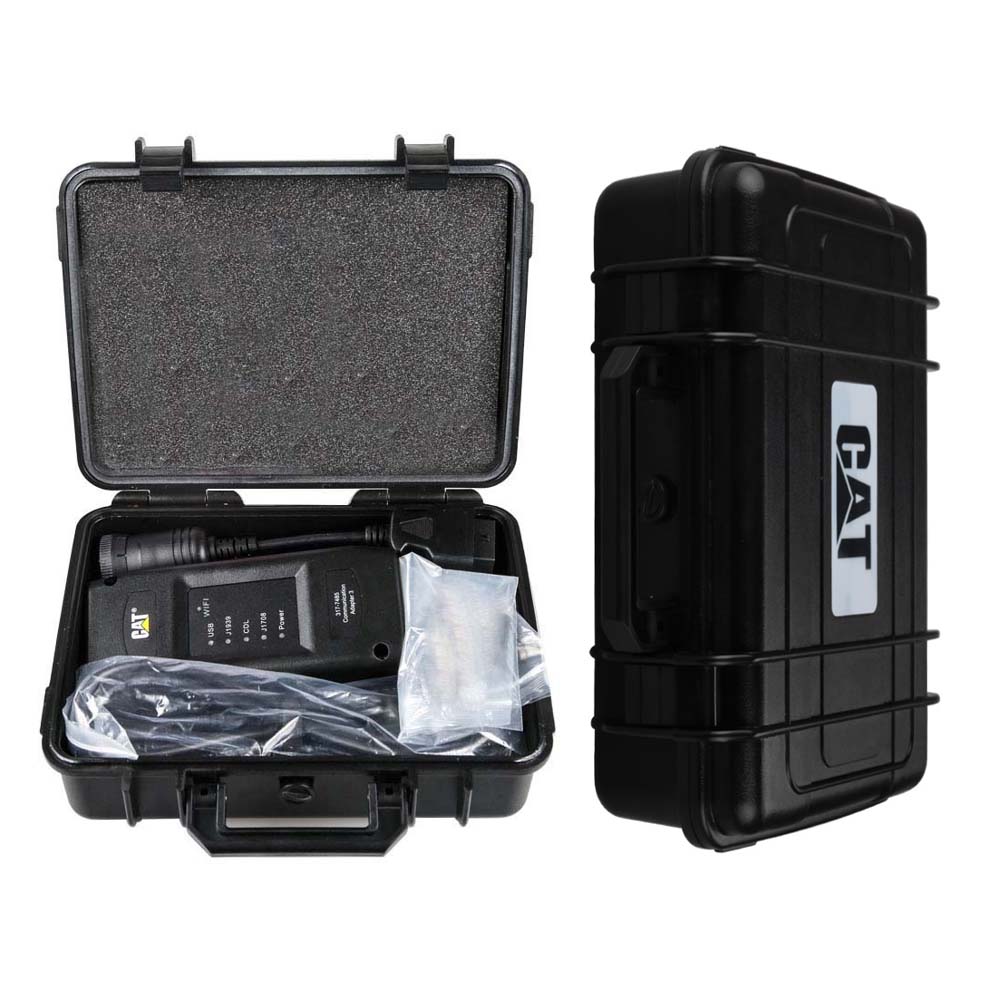
2021A Caterpillar Electronic Technician software
- Oct 02 Sat 2021 16:16
-
JPRO truck scanner for heavy & medium-duty vehicles!
Description:
Everything you need to diagnose and repair heavy & medium-duty vehicles.
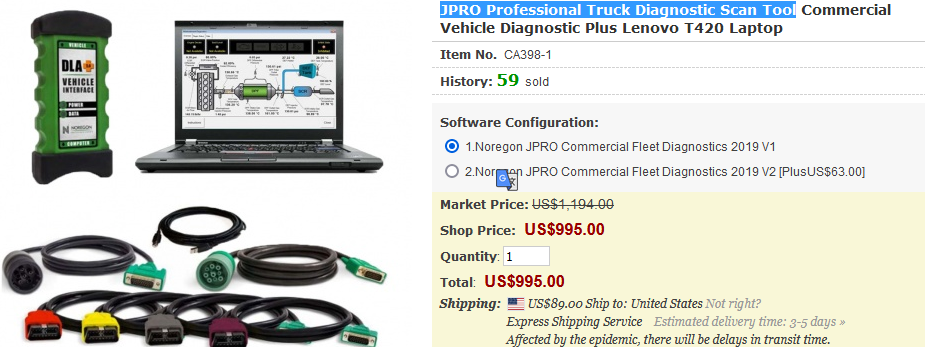
JPRO Professional truck scanner is the most comprehensive and powerful all makes, all models diagnostic tool available in the industry today. In one, easy annual subscription, JPRO provides a complete & unparalleled diagnostic service & repair solution with bi-directional functionality.
Next Step Service Information module helps speed up repair times by providing users with detailed engine repair information and troubleshooting guides for ABS and Transmissions – with the click of a button.
Noergon’s DLA+ 2.0 adapter is a diagnostic communication device designed to interface between a vehicle and PC via USB cable for diagnostic and vehicle information, re-programming or parameter adjustments.
Language: English & Spanish
JPRO Truck Diagnostic Tool Features:
1.Includes Heavy-Duty Modules: Mack, Volvo, Cummins, Detroit Diesel, International & PACCAR
2.Includes Medium-Duty Modules: Ford, GM, Isuzu & Sprinter
3.Bi-Directional Controls – Perform parameter changes (Mack & Volvo), DPF Regens (Mack, Volvo, Cummins, Detroit Diesel, International & PACCAR) & bi-directional tests with proprietary data & faults
4.OE Level Fault Code Information – Display over 99% of Heavy-Duty & Medium-Duty fault codes with detailed OEM level component and trailer descriptions
5.Fault Management – Clears faults and diagnoses all vehicle components in a single, easy to use application
6.Vehicle Reporting – View and print log files, including: Vehicle Health, Trip Reports & LOV Reports
7.Store & Save Data – Record data log files for playback at a later time, even away from the truck
8.Total Vehicle Health Status – See the entire vehicle in one pass on one screen + Up-to-Date – Provides 99% coverage of all heavy-duty truck DTCs through 2020
Jpro Packing list :
1.Second Hand Laptop Lenovo T420 Laptop (With JPRO Professional Diagnostic Software)
2.JPRO DLA+ 2.0 Adapter Cable
3.Heavy-Duty Vehicle Cables Type 2 Vehicle Cables (6-Pin & 9-Pin)
4.Medium-Duty Type-B OBDII Cables (Ford, GM, Sprinter/Hino/Isuzu, Mack & Volvo)
5.USB Cable
6.DVD(JPRO Software with keygen+ins)

Second Hand Laptop Lenovo T420 Laptop Specification :
Brand: Lenovo
Condition: Used
Type: Laptop/Notebook
Screen Size: 14.0
Processor Type: Intel (R) Core(TM) I5-2520M CPU
Processor Speed: 2.50 GHz
Processor Configuration: Dual Core
Memory: 4GB
Compared with other laptop, this one is better quality and run faster.
JPRO Professional Diagnostic Basic Coverage includes the ability to read & clear codes on the following list. You can also view all live data and perform basic diagnostics.
Body and Chassis:
Bluebird, Ford, Freight liner, GM, International, Kenworth, Mack, Peterbilt, Sprinter, Sterling, Thomas Built, Volvo, and Western Star
Engines:
CAT, Cummins, Detroit, Ford, GM, International, Mack, Mercedes, PACCAR MX, Sprinter, Volvo
ABS:
Bendix, Ford, GM, Haldex, Sprinter, Wabash, WABCO
Transmission:
Allison, Detroit, Eaton, Ford, GM, Mack, Sprinter, Volvo, ZF
The software will now perform the following bi-directional commands:
Cummins – Bi-directional support for the following:
Cylinder cut-out for EPA 2002 to Current (ISB, ISC, ISL, ISM, & ISX)
DPF Stationary Regen for EPA 2007 to Current (ISB, ISC, ISL, ISM, ISX)
Trip Reset for EPA 2007 to Current (All ECUs)
After treatment reset for EPA 2007 to Current (All ECUs)
Fuel Injector Reset for EPA 2013 to Current (All ECUs)
Fuel Leakage Test for EPA10 to Current
Fuel Injector Calibration EPA 2007 & EPA 2010 (All ECUs)
VGT Actuator Installation & Calibration EPA 2010 to Current
VGT Hysteris Test for EPA 2010 to Current
DEF Doser Pump Override for EPA 2010 to Current
Change road speed, cruise speed, & idle shut down timer for EPA 2007 to Current
DEF System Leak Test (EPA 10 ISB/ISC/ISL/ISX & EPA 13 ISB/ISL/ISX)
Detroit Diesel – Bi-directional support for the following:
Cylinder cut-out for 2000 to 2014
DPF Service Regen for EPA 2007 to Current
SCR System Output Component Tests for EPA 2010 to 2013
SCR ADS Self Check for EPA2013 to Current
DPF Ash Accumulator Reset for EPA 2010 to Current
Idle Shut Down Timer EPA 2010 to Current
Cruise Speed Limit Changes for EPA 2010 to Current
Road Speed Limit Changes for EPA 2010 to Current
DEF Quantity Test for EPA 2010 to Current
Mack & Volvo – Bi-directional support for EPA 2007 to Current:
Cylinder cut-out
DPF Stationary Regeneration
DPF System Reset
Learned data reset
Setting parameters (Cruise min/max, speed limits, idle shut-down times, and enable/disable cruise)
Trip reports & life of vehicle reports (Only Volvo 2012 & Newer and Mack 20007 & Newer)
Enable/Disable Driver Cruise Control
EGR Function Test (EPA 2013 to Current)
VGT Function Test (EPA 2013 to Current)
VGT Monitor Test (EPA 2013 to Current)
DEF Pressure System Test (EPA 2013 to Current)
International – Bi-directional support for EPA 2007 to Current:
Cylinder Cut Out Test (All MaxxForce & N-Series Engines)
DPF Stationary Regeneration
After treatment Reset for EPA 2007 & 2010 MaxxForce 11/13
DOC/DPF Replacement for EPA 2013 N-Series Engines
KOER Standard Test for all MaxxForce and N9/N10 Engines
SCR Faults Reset for EPA 2013 N-Series Engines
Fuel Shutoff Valve for EPA 2010 MaxxForce 11/13
Fuel Doser Actuator for EPA 2010 MaxxForce 11/13
ETV Position Actuator for EPA 2010 MaxxForce 11/13 and N13 SCR Engines
EGR Position Actuator for EPA 2010 MaxxForce 11/13 and N13 SCR Engines
Air Management Test for all MaxxForce, N9, and N13 SCR Engines
DEF Doser Pump Override Test for N9, N10, & N13 SCR Engines
KOER Injector Tests for all MaxxForce & N9/N10 Engines
Fuel Pressure Adaption Reset (EPA 2007 to Current MaxxForce 7)
Idle Shutdown Time (EPA 2007 & 2010 MaxxForce 7, DT, 9, 10, 11, 13, & 15)
Road & Cruise Speed (EPA 2007 & 2010 MaxxForce 7, DT, 9, 10, 11, 13, & 15)
PACCAR MX Engines (Does not cover GHG17 Engines)
Automated Cylinder Performance Test
DPF Service Regen
Install a New/Cleaned DPF Filter command
DEF Pressure System Test (EPA 2013 & Newer)
Isuzu – Supports 2008-2017 Isuzu trucks with either the 5.2L (4HK1) or 3.0L (4JJ1) engine in both North America
Cylinder Cut Out
DPF Service Regen
Ford – Supports 2004 to 2018 Ford models F-Series, E-Series, Transit Connect, and Transit Vehicles
Gives users the ability to read and clear faults, read freeze frames, read sensor data, and display emission test results
Enables users to run diagnostic test son components such as Key On Engine Off (KOEO) On Demand Self Test
GM - Supports 2002 to 2018 GM models GMC & Chevy 1500, 2500, 3500, GMC Express & Chevy Savana, all GM Medium Duty Vehicles
Gives users the ability to read and clear faults, read freeze frames, read sensor data, and display emission test results
Supports cylinder cut-outs on all diesel & gasoline engines on years 2002 to 2018 (Except for CAT engines)
Tests for 2010 to 2012 Express/Savana with 6.0L gas engines
DPF Service Regen for 2010 to 2018 with 6.6L, 2017 GMC Savana, and Chevy Express with 2.8L
Sprinter – Supports 2007 to 2015 Sprinter vehicles
Sprinter module gives users the ability to read and clear faults, rear sensor data, and display emission test results
Supports EPA 2007 & newer engine tests: Cylinder cut-out, compression test, DPF regen, injector quantity adjustment, mass air flow sensor initialization, and initialize rail pressure
Supports instrument clustomer (2007-2015) tests: Oil change reset, display dimmer test routine, gauge sweep test, LCD display test routine, and speaker test routine
Supports tire pressure monitor – Tire pressure sensor test
WABCO ABS
ABS Lamp Test
Wheel Speed Chart Test
Wheel Speed Window Test
Bendix ABS
ABS Lamp Test
Wheel Speed Chart Test
Wheel Speed Window Test
For more at https://www.cnautotool.com/category-39-b0-Heavy+Duty+Diagnostic.html
- Sep 26 Sun 2021 16:54
-
How to use Porsche PIWIS 3 ?
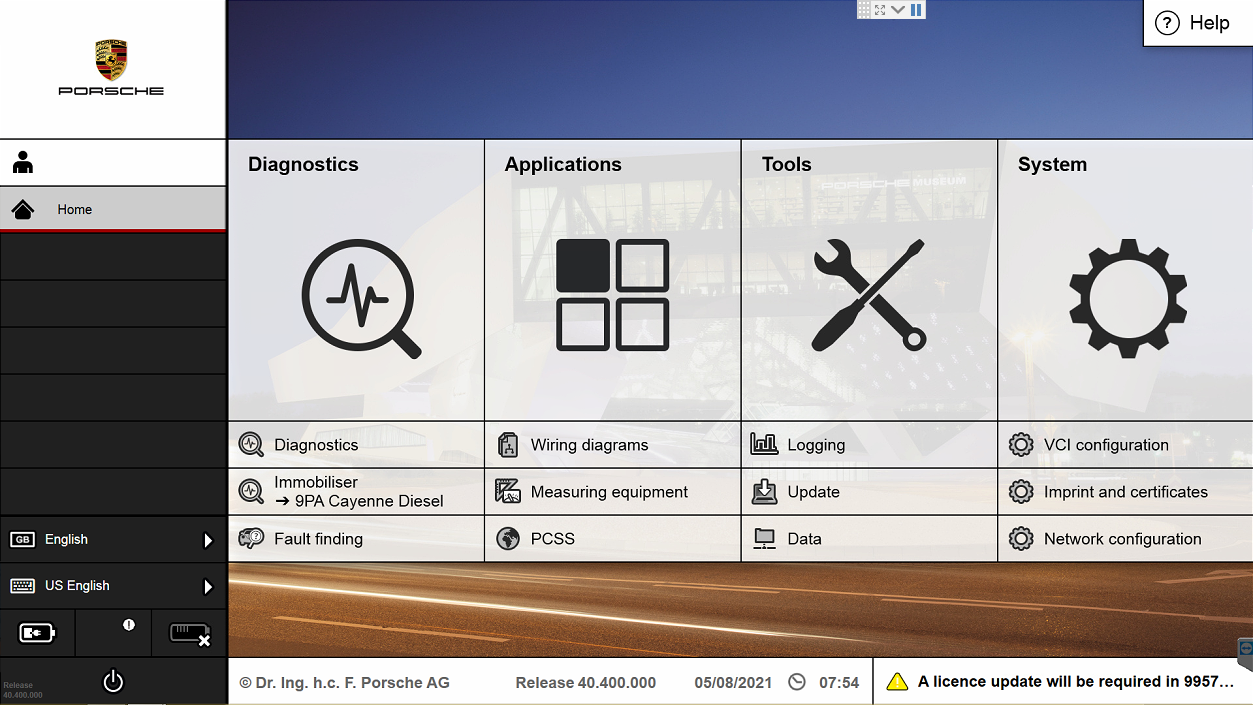
The Porsche PIWIS 3 (PST3) is the newest Diagnostic Tool in the market. It can read trouble code, clear trouble code, shows ECU information. It test live data, display actual values, and programs. On all; process malfunction navigation, showing all interior circuit diagram. Specially if were produced after 2005. The PIWIS III has original oscillometer and multi-meter Function.
- Sep 20 Mon 2021 16:32
-
Launch X-431 PRO MINI Produce Details

Launch X-431 PRO MINI Description:
X431 PRO MINI is a stylish Android-based vehicle trouble diagnostic tool. It inherits from LAUNCH’s advanced diagnosing technology and is characterized by covering a wide range of vehicles, featuring powerful functions, and providing precise test result.
Through the simple Bluetooth communication between the VCI module and X-431 PRO MINI, it achieves full car model and full system vehicle trouble diagnosis, which includes Reading DTCs, Clearing DTCs, Reading Data Stream,Actuation Test and Special Functions.
Moreover, it supports Wi-Fi connection, which enables you surf the Internet,update the diagnostic software online and perform remote diagnosis etc, getting your job fixed faster and easier.
- Sep 18 Sat 2021 15:42
-
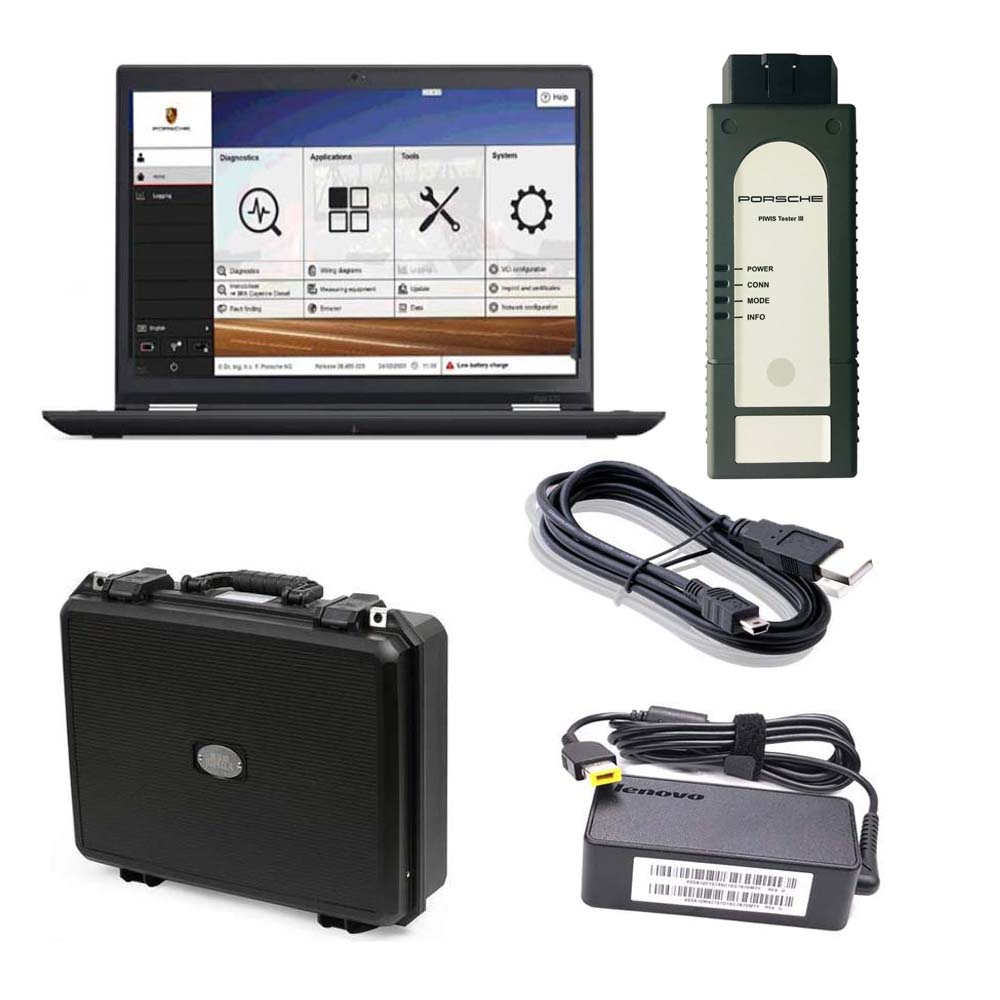
Porsche Piwis 3 Diagnostic Tool with Lenovo Yoga S1 I5 8G 5300U Laptop
Power-on password :123456
Notice:
1. The SSD cannot be copied.
2. Piwis 3 Software SSD can ONLY use as internal disk, NEVER use as external hard drive, otherwise it will be useless and damage the SSD.
We don’t provide after sale service once the SSD used as external hard drive.
3. Laptop Specs Requirements: MUST be high-resolution PC, or the software cannot show completely.(1920*1080 resolution memory 8G I5CPU)
We standard package with laptop comes with Lenovo Yoga S1 i5 8G laptop is recommended.
4. This is hardware with software, if you need Piwis iii with laptop complete ready to use, please click: https://www.cnautotool.com/goods-6976-Porsche-Tester-III-Diagnostic-Tool-Piwis-3-Software-Installed-Laptop.html
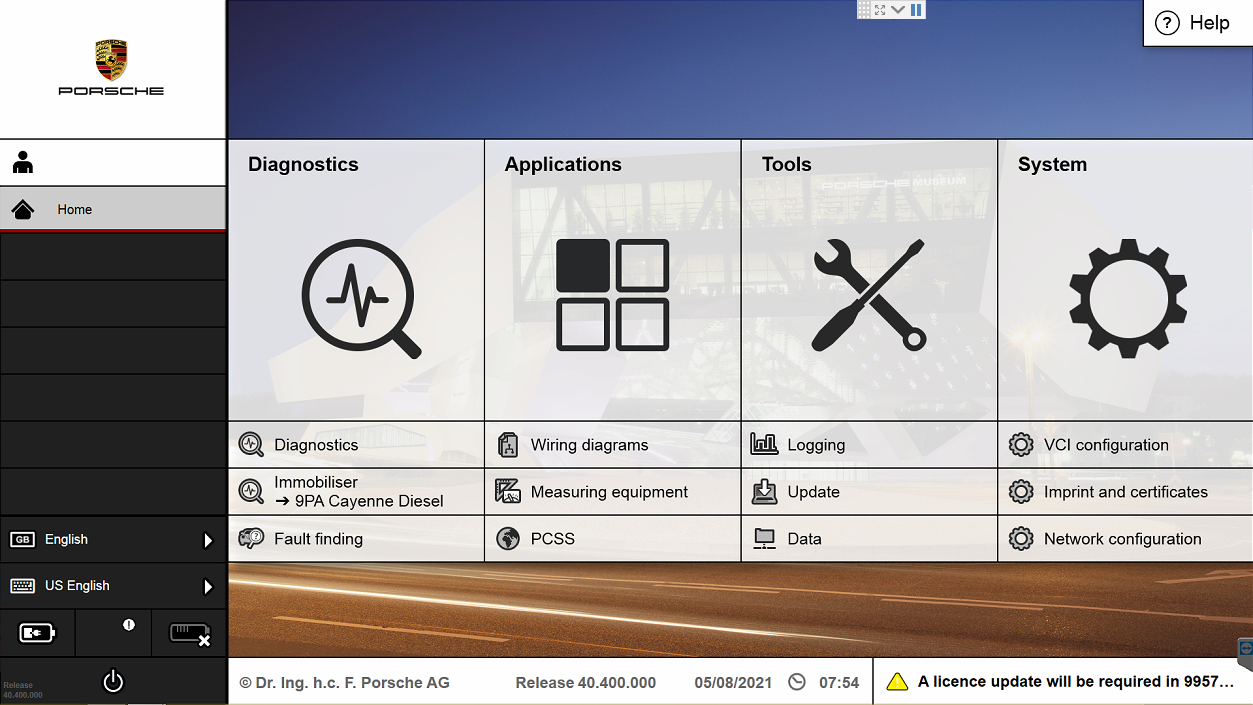
The Porsche PIWIS 3 (PST3) is the newest Diagnostic Tool in the market. It can read trouble code, clear trouble code, shows ECU information. It test live data, display actual values, and programs. On all; process malfunction navigation, showing all interior circuit diagram. Specially if were produced after 2005. The PIWIS III has original oscillometer and multi-meter Function. It is the absolutely necessarily tool for the job.
1.Piwis 3 With V40.400 Piwis III Software for Porsch Cars diagnostic & Programming.
2.Piwis 3 with developer mode software & TeamViewer Installed Lenovo Laptop Ready To Use, cover all piwis 2 functions.
3.With New DoIP Ethernet diagnostic technology,Supports Porsche Models after 2002.
PIWIS III with Piwis 3 Software Details:
1. Software Version:
Dual System: V40.400 + V38.200
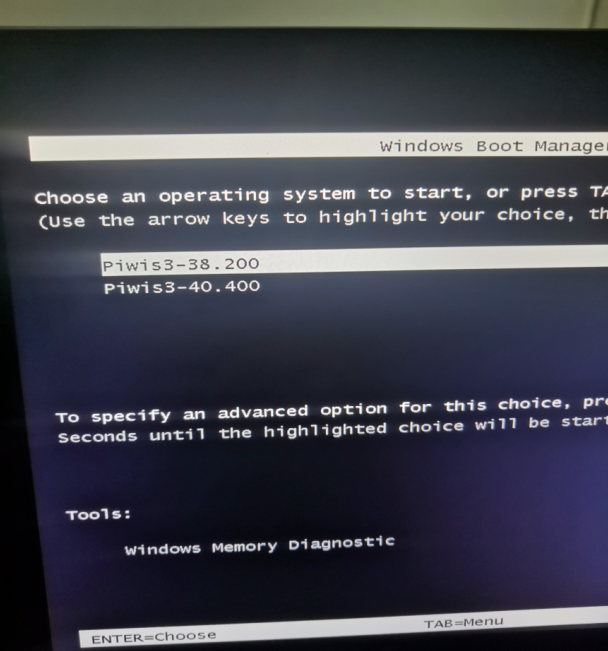
V40.400(with Engineering software support online programming)
V38.200(with Engineering software support offline programming)
2. Functions: Diagnosis and Programming
3. Update: By SSD
4. Connection: Via USB or Wifi
5. Support Vehicles: Support all Porsche till 2020
6. Password for Laptop: 123456
7. Multi-Language: German, English, US English, French, Italian, Spanish, Japanese, Chinese, Russia, Portuguese, Nederlands

NOTE:
Lenovo Yoga with Dual system in one SSD, one system sofware is V40.400, another is V38.200, when your start the laptop, choose one software that you need, both software can be used.
Piwis III Supports New & Old Cars:
All Porsche from 1998-2021:
1.Porsche 911(997) (991)
2.Boxster/Cayman (987)
3.Cayenne up to MY 2010
4.Cayenne from MY 2011
5.Panamera
Especially the latest models:
1.Paramera (971) 2021
2.Caynenne (92A) 2021
3.Macan (95B) 2021
4.911 (991) 2021
Also support All Other Old car models
Porsche PIWIS TESTER PIWIS3 Features & Functions :
1. New operating system and more intuitive software interface
2. New VCI, support for models with DoIP diagnostics after 2017
3. Maintenance, repair, control unit replacement, programming code
4. Login online anti-theft matching programming
5. Guided fault finding
6. Maintenance circuit diagram view
7. Engineer mode (development version) can support special functions such as installing, modify, Flash.
Package Listing :
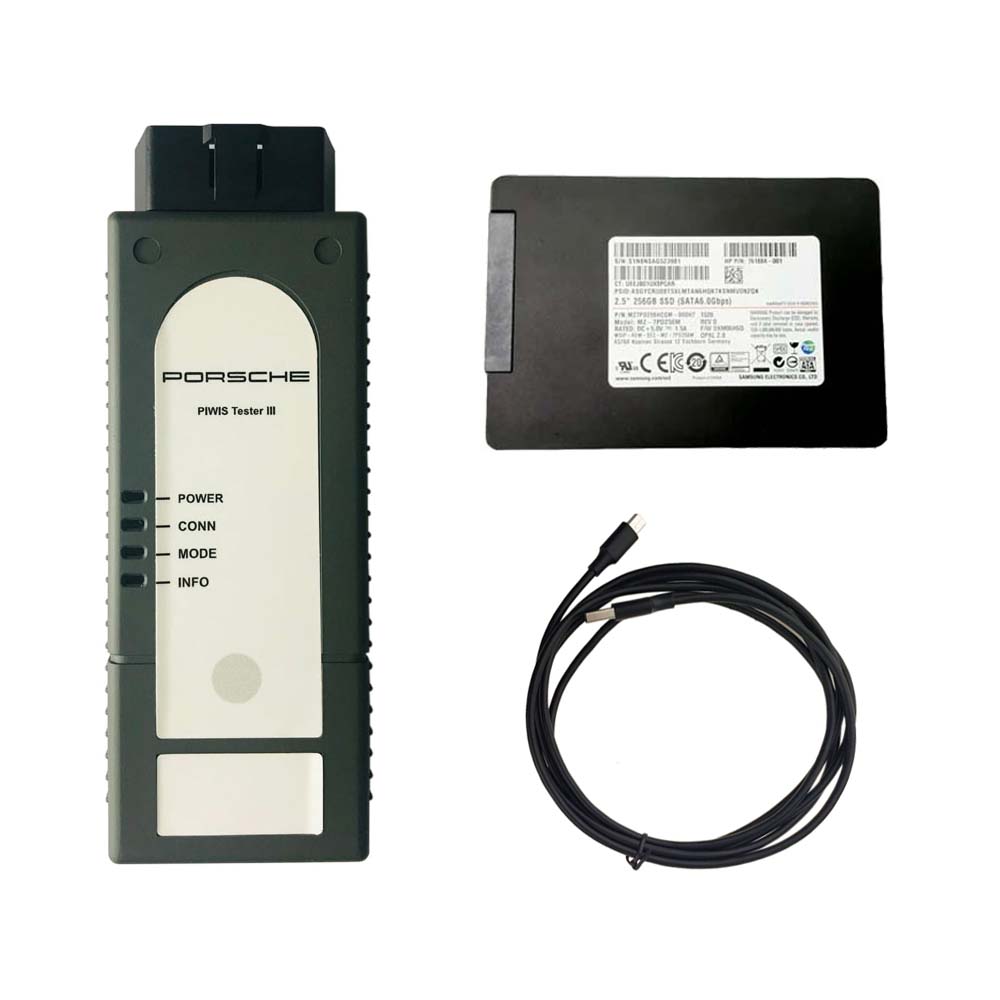
1× Piws3 Tester
1× OBDII Cable
1× USB Cable
1× 256GB Software SSD
1× Lenovo S1 yoga12 I5 5300U 8GB
For more information about Professional Diagnostic Tools ,please visit our website sale@cnautotool.com.FREE, Professional & Unlimited Technical Support, Factory Price!
- Sep 17 Fri 2021 15:05
-
Do you know JLR Pathfinder Diagnostic Tools?
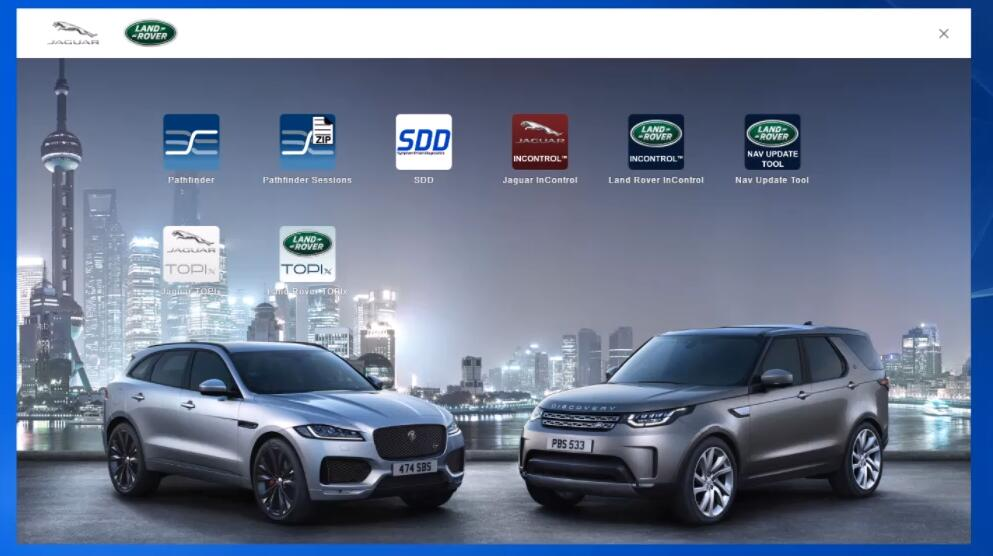
What is JLR Pathfinder?
JLR Pathfinder is newest diagnostic software which designed specifically for Jaguar and Land Rover.
JLR Pathfinder Support Vehicle Models:
Land Rover:
Range Rover L405 (17MY)
Range Rover Sport L494 (17MY)
New Discovery L462 (17MY)
Jaguar:
F-TYPE X152 (18MY)
F-PACE X761 (18MY)
XE X760 (18MY)
XF X260 (18MY)
What Devices Compatible on JLR Pathfinder?
JLR DoIP VCI SDD Pathfinder Interface ($599)
JLR DoIP VCI ($1130)
How to Install JLR Pathfinder Software?
1.Select ‘Save’, select ‘Desktop’, select ‘Save’.
2.The software file will now download.
3.Select ‘Run’.
4.A security warning window will appear, select ‘Run’.
5.The Jaguar Land Rover Connect Setup Wizard will now begin.
6.The ‘Welcome to the Jaguar Land Rover Connect Setup Wizard’ pop up will appear. Select ‘Next’.
7.The ‘Select Additional Tasks’ pop up will appear. Do not select the ‘Create a desktop icon’. Select ‘Next’.Note: The installation progress will be shown on screen.
8.After installation, the ‘Completing the Jaguar Land Rover Connect Setup Wizard’ will appear. Select ‘Finish’.
9.The machine will now restart.
10.The Internet Explorer will open with your homepage or the new JLR App Launcher screen will open.Note: The PATHFINDER icon will not work until the software download has completed.
11.The PATHFINDER software will automatically download in the background.
Note: To check the software download progress, select the ‘Hidden Icon’ arrow in the bottom right hand of the screen (Windows system tray). Right click the ‘Connect’ icon, select ‘Check for Updates’ and view the Jaguar Land Rover Application progress bar.
Note: Due to software file size, the software download and installation process will take some time, please be patient.
Note: Do not attempt to use PATHFINDER or SDD until the software download and installation has completed.
12.The ‘Jaguar Land Rover Connect Updater’ pop up will appear, select ‘Install Now’.Note: If the ‘Please close JLRAppLauncher to continue the installation’ pop up appears, hover the cursor over the ‘JLR Application Launcher’ icon on the ‘Windows Task Bar’ at the bottom of the screen. Right click on the icon and select ‘Close Window’. Select ‘Continue’ on the ‘JLRAppLauncher message’ pop up.
13.The ‘JLRAppLauncher message’ pop up will close, PATHFINDER is now installing, please be patient.
14.Select the ‘Hidden Icon’ arrow in the bottom right hand of the screen (Windows system tray). Select the ‘Connect’ icon and view the ‘Jaguar Land Rover Application progress bar.
15.When the progress bars display 100%, select ‘Close’.
16.PATHFINDER is now installed.
Installing the Diagnostics over Internet Protocol (DoIP) Vehicle Communication Interface (VCI) unit
Note:PATHFINDER requires a DoIP VCI unit to communicate with the 2017 model year Range Rover L405, Range Rover Sport L494 and New Discovery L462.
The DoIP VCI must be the only VCI connected to the JLR Approved Diagnostic Equipment when using PATHFINDER. Future PATHFINDER communications will appear soon in the ‘Activity Stream’ section on TOPIx. Every retailer MUST have the DoIP VCI available in their workshop. The DoIP VCI is the only JLR approved VCI unit that can communicate with the 2017 model year vehicles identified earlier.
Please be aware that the following instructions are only applicable for the first use of the VCI. Once the initial installation and settings have been completed, the DoIP VCI is plug and play with the PATHFINDER software.
1.Insert the DoIP VCI USB cable into the DoIP VCI device and the JLR Approved Diagnostic Equipment.
Note: The ‘USB Input Device’ pop up will appear, select ‘X’ and close the pop up.
2.Select the ‘Windows’ key.
3.Select ‘All Programs’.
4.Select ‘Bosch’.
5.Select ‘VCI Software (JLR)’.
6.Select ‘VCI Manager (JLR)’.
7.Select the VCI icon displayed on screen.
8.Select ‘Connect to VCI’
9.Select ‘VCI Update’.
10.Select ‘Start Update’.
11.The ‘VCI Manager Information’ pop up will appear, select ‘OK’ to continue.
Note: Do not disconnect the DoIP VCI from the JLR Approved Diagnostic Equipment during the update process.
Note: The DoIP VCI update process will take approximately 12 minutes to complete.
12.The DoIP VCI will now automatically restart.
13.Wait for the DoIP VCI to give an audible beep. Select ‘OK’ to continue.
14.Select ‘X’ and close the ‘VCI Manager’.
15.The DoIP VCI is ready for use Setting Preferences in PATHFINDER
Setting Preferences in PATHFINDER
1.Select the PATHFINDER icon on the ‘JLR Application Launcher’.
2.Select ‘Other User’ and enter your ‘User Identification’ and Password details.
3.Select ‘Independent Operator’ or ‘Authorised Repairer’.
4.Select ‘OK’ and log in.
5.Read the content of the ‘Warning’ pop up and select ‘OK’.
6.Select the three bar icon in the top right of the screen. Select the ‘Settings’ icon’.
7.Select the ‘Communication Interface’ tab. Select ‘D-PDU’.
8.The ‘Windows Security Alert – Windows Firewall’ pop up is displayed.
Note: Do not select ‘Cancel’ when the ‘Windows Security Alert’ pop up is displayed.
9.In the ‘Windows Security Alert – Windows Firewall’ pop up, select the check boxes for ‘Private Networks’ and ‘Public Networks’, then select ‘Allow Access’.
10.The preferences have now been set in PATHFINDER.
Note: Once the initial installation and settings have been completed, the DoIP VCI is plug and play with the PATHFINDER software.
Packing List:
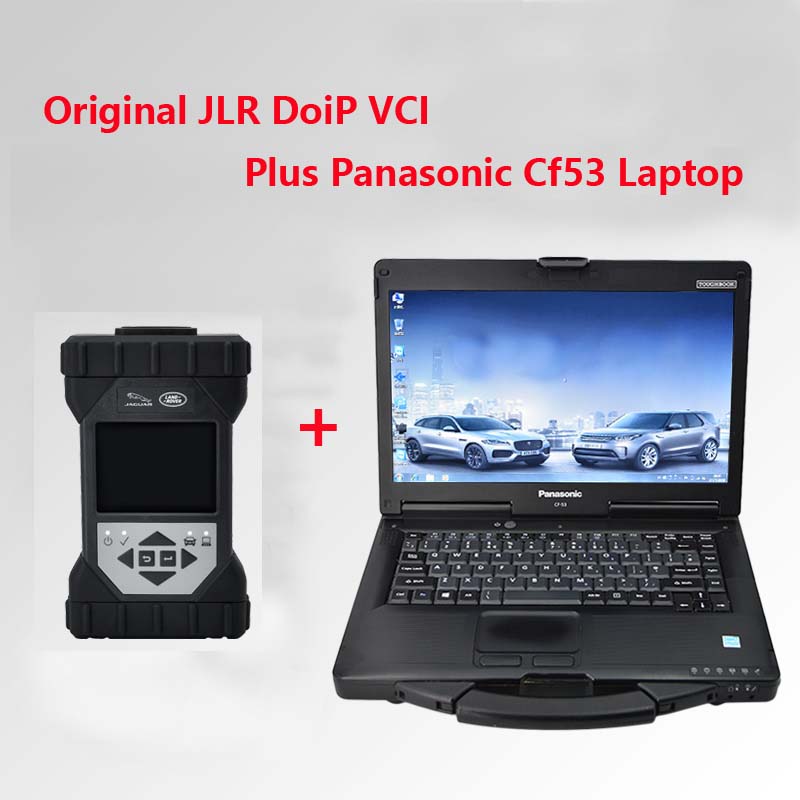
1pc x Original JLR DoiP VCI
1pc x OBD cable
1pc x USB cable
1pc x network cable
1pc x Second Hand Panasonic CF53
www.cnautotool.com
- Sep 14 Tue 2021 20:52
-
The Piwis 3 Software Latest Version V40.400 Update
- Sep 09 Thu 2021 15:04
-
How to Update firmware of Rover DOIP?
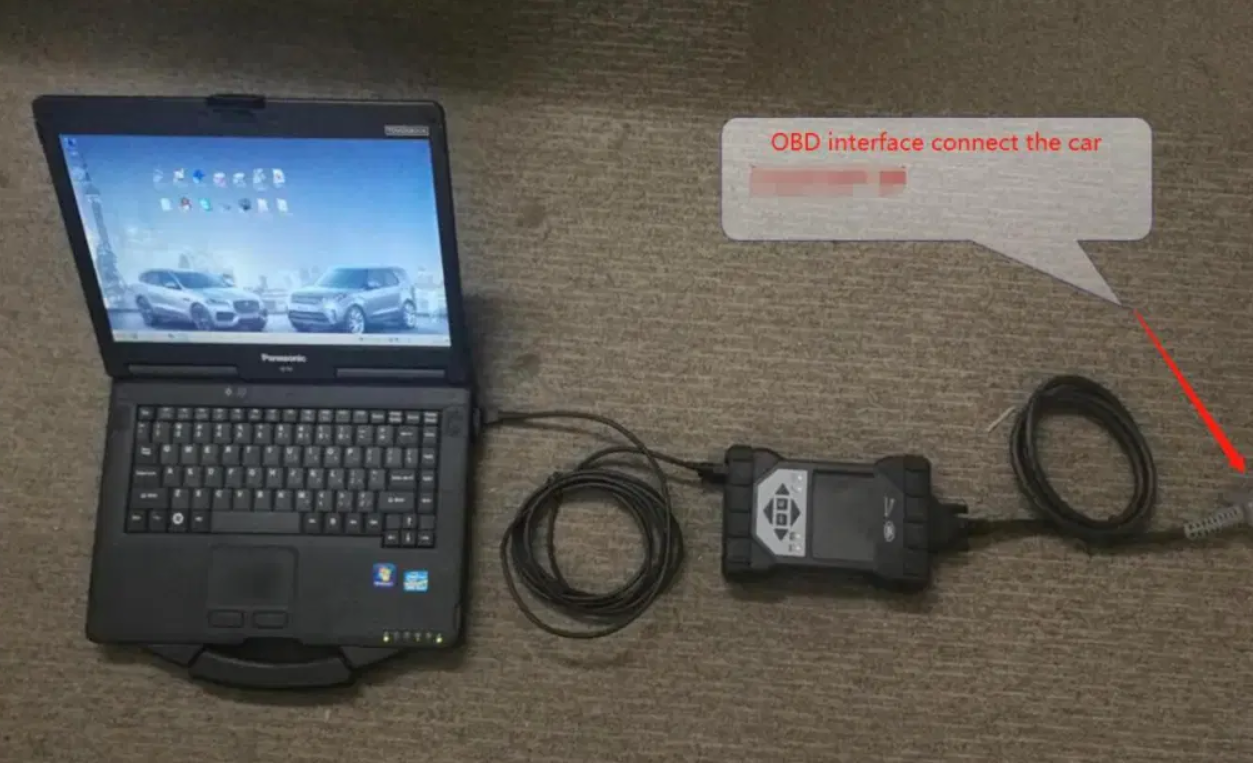
JLR DoiP VCI SDD Pathfinder Interface plus Panasonic CF53 Laptop for Jaguar Land Rover from 2005 to 2021
Note: We will install Pathfinder and SDD software
1.The Pathfinder software
It is the only unit that will be compatible with the Pathfinder software and all JLR vehicles with the new vehicle architectures found in 2018 and newer vehicles (from the Range Rover/Range Rover Sport L405/L494). In addition to the 2018 and newer vehicles, the DoIP VCI will also be capable of interfacing with 2014 through 2021 Multi-CAN architecture vehicles (see application list below).
Note:The Pathfinder software (If you want to do programming ,you must have a online account)
