The best odometer correction t
When it comes to car diagnostics in auto repair shops and garages, vehicle diagnostic tools are beneficial in more ways than one. First, they can quickly help buyers detect any type of fault the car may have, whereas traditional inspection methods can take more time. Second, these tools can be adapted to different makes of cars. There are so many such vehicle diagnostic tools on the market today that choosing the right one can be a bit of a headache.
In this article we will take a look at the different types of vehicle diagnostic tools available in the market.

cnobd2tool 發表在 痞客邦 留言(0) 人氣()


This post show you guide on how to build connect between medium duty truck and JPRO DLA+ 2.0 adapter with JPRO diagnostic software.
Connect a supported Noregon adapter using the appropriate OBD II cable provided.
If using a USB connection, also connect the USB cable to the computer running JPRO Commercial Vehicle Diagnostics.
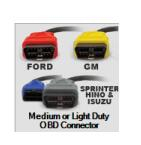
Ford vehicles require the OBD II cable with the red connector
GM (GMC or Chevrolet) vehicles require the OBD II cable with the yellow connector
Sprinter vehicles require the OBD II cable with the blue connector when using a DLA+ or DLA+ Wireless adapter or the OBD II cable with the gray connector when using the DLA+ 2.0 or DLA+ 2.0 Wireless adapter.
Hino and Isuzu vehicles require OBD II cable with either the blue or gray connector.
1.Select the F8 key or the Connect button on the main toolbar.
2.You will be prompted for the connection type. Select the Medium/ Light Duty OBD connector button. NOTE: If you have a Demo license, this button will not be available.
JPRO Diagnostics DLA+ 2.0 Medi
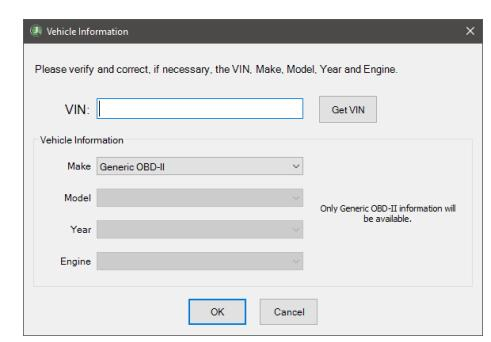
3.The application will try to connect to the vehicle data bus to read the VIN.
4.The application will display the vehicle information. Verify and correct, if necessary, the VIN,
Make, Model, Year and Engine. If you do not have a 17 digit VIN available, or the vehicle information is incorrect, then select the make, model, year and engine.
If the vehicle is not currently supported, you may attempt to connect as Generic OBD II. However, when connected as Generic OBD II, only emissions related faults and sensor data will be available.
JPRO Diagnostics DLA+ 2.0 Medi
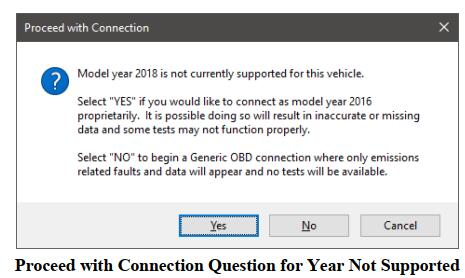
5.A confirmation prompt may be displayed if the vehicle year is not supported or if the vehicle make, model, and engine is not supported in any year.
a.If the vehicle year is not supported, a prompt to choose to connect with proprietary support or as
Generic OBD II will display.
JPRO Diagnostics DLA+ 2.0 Medi
Select Yes to proceed with the connection proprietarily. Select No to proceed with a Generic OBD II connection.
b.If the vehicle make, model and engine is not supported in any year, then a confirmation prompt to connect as Generic OBD II will display.
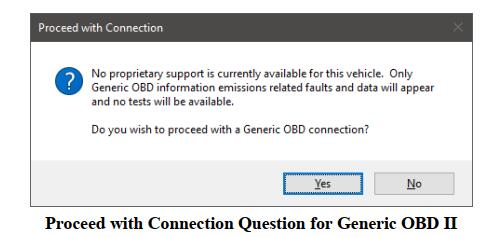
JPRO Diagnostics DLA+ 2.0 Medi
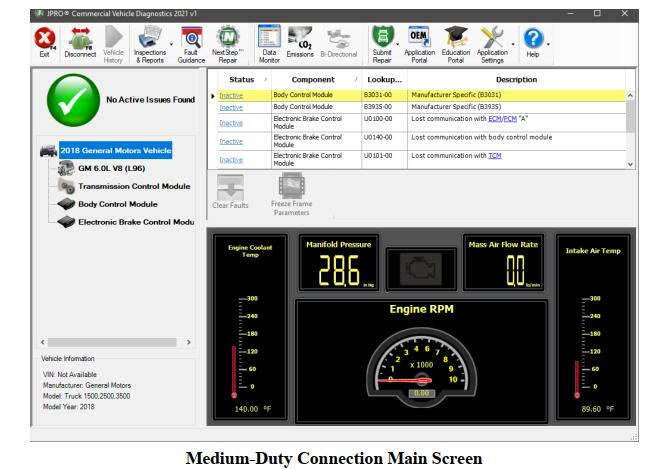
6.The application will now try to connect to the vehicle data bus using a supported adapter. Progress information will be displayed while the initial download of vehicle and sensor data is completed.
7.The Vehicle Readiness, Fault Code Information and Key Data Points windows are displayed.
JPRO Diagnostics DLA+ 2.0 Medi


cnobd2tool 發表在 痞客邦 留言(0) 人氣()


cnobd2tool 發表在 痞客邦 留言(0) 人氣()


cnobd2tool 發表在 痞客邦 留言(0) 人氣()


cnobd2tool 發表在 痞客邦 留言(0) 人氣()


| December 22, 2022 | Heavy Duty Diagnostic | No Comments

cnobd2tool 發表在 痞客邦 留言(0) 人氣()


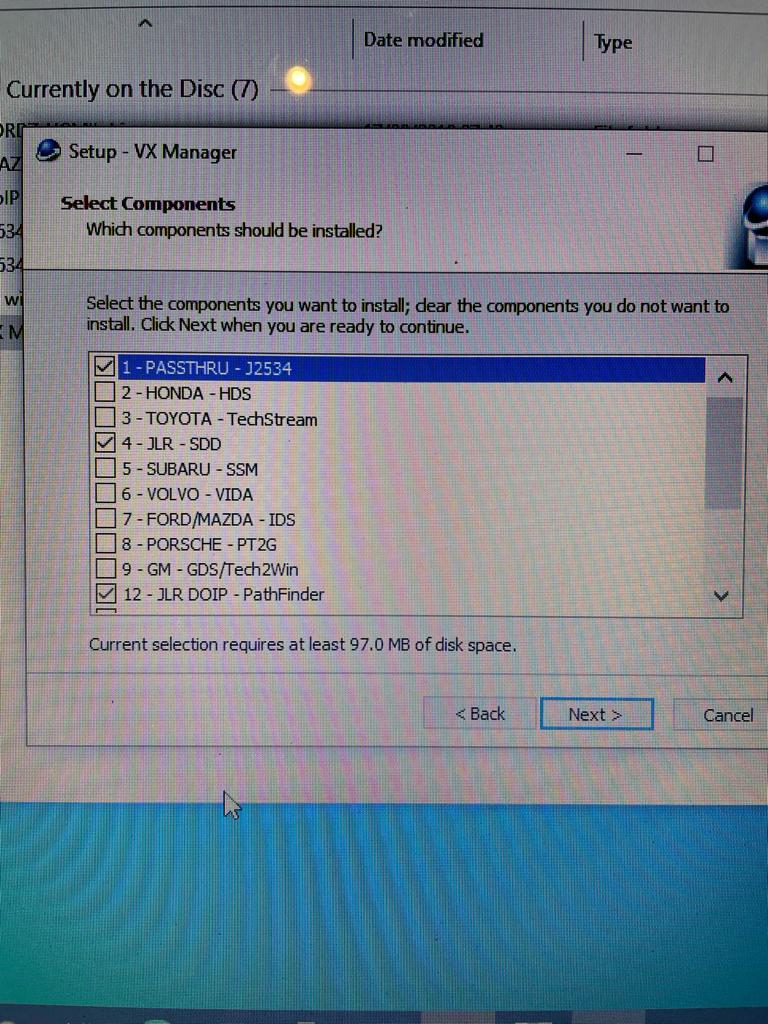
The NEW JLR DoIP VCI is the newest interface for Jaguar and Land Rover vehicles.
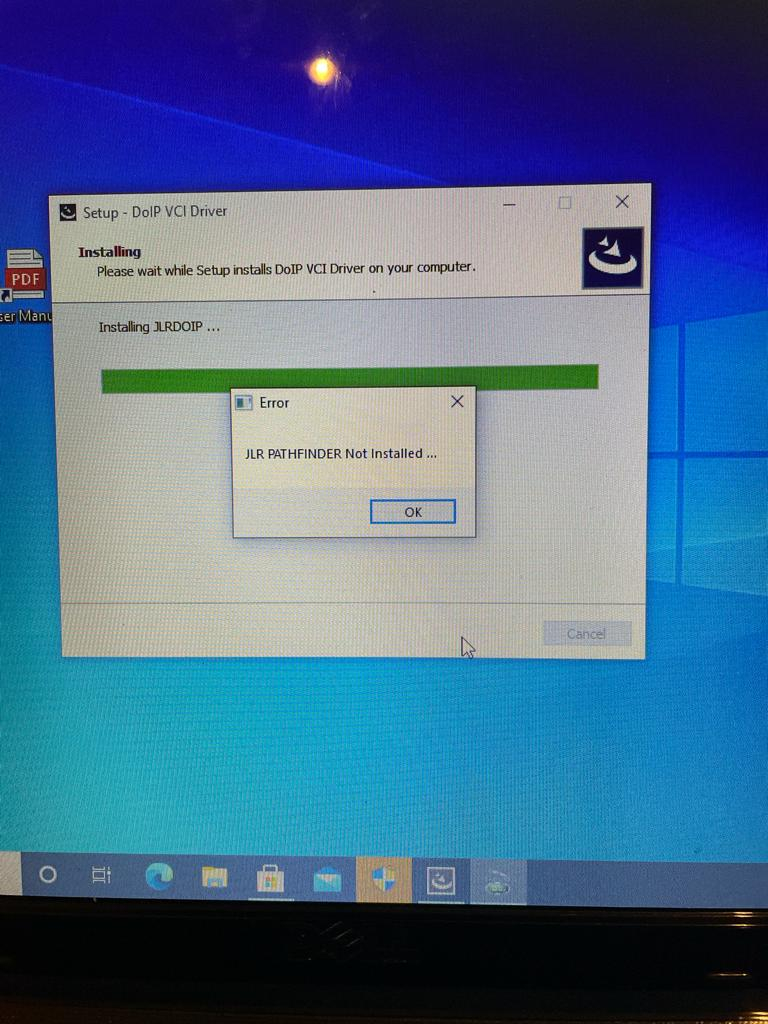
How to Solve JLR SDD Pathfinder not installed?
Problem: I cannot seem to get the Jaguar Land Rover JLR- SDD to install. Every time I try it tells me that JLR SDD not installed / JLR Pathfinder Not Installed. Can you help or tell me what I am doing wrong please.


CnAutotool.com engineer solution:
You need to reinstall the JLR SDD software, and then install the driver software.

cnobd2tool 發表在 痞客邦 留言(0) 人氣()

How to do CNH (New Holland Electronic Service Tool) Unable to Start the ISM
CNH (New Holland Electronic Service Tool) Unable to Start the ISM Indirect Inject Solution
 

cnobd2tool 發表在 痞客邦 留言(0) 人氣()


John Deere knows uptime is critically important to our customers. From Do-It-Yourself tractor repairs to connected support, we’re committed to keeping your machines up and running when you need them most.
John Deere Customer Service ADVISOR™ is a digital database of Operator, Diagnostic, and Technical manuals for John Deere Products. This subscription allows users to connect to machines with an Electronic Data Link (EDL) to clear and refresh codes, take diagnostic readings, and perform limited calibrations — all on your own in the shop or in the field. Self-repair made easy.

cnobd2tool 發表在 痞客邦 留言(0) 人氣()

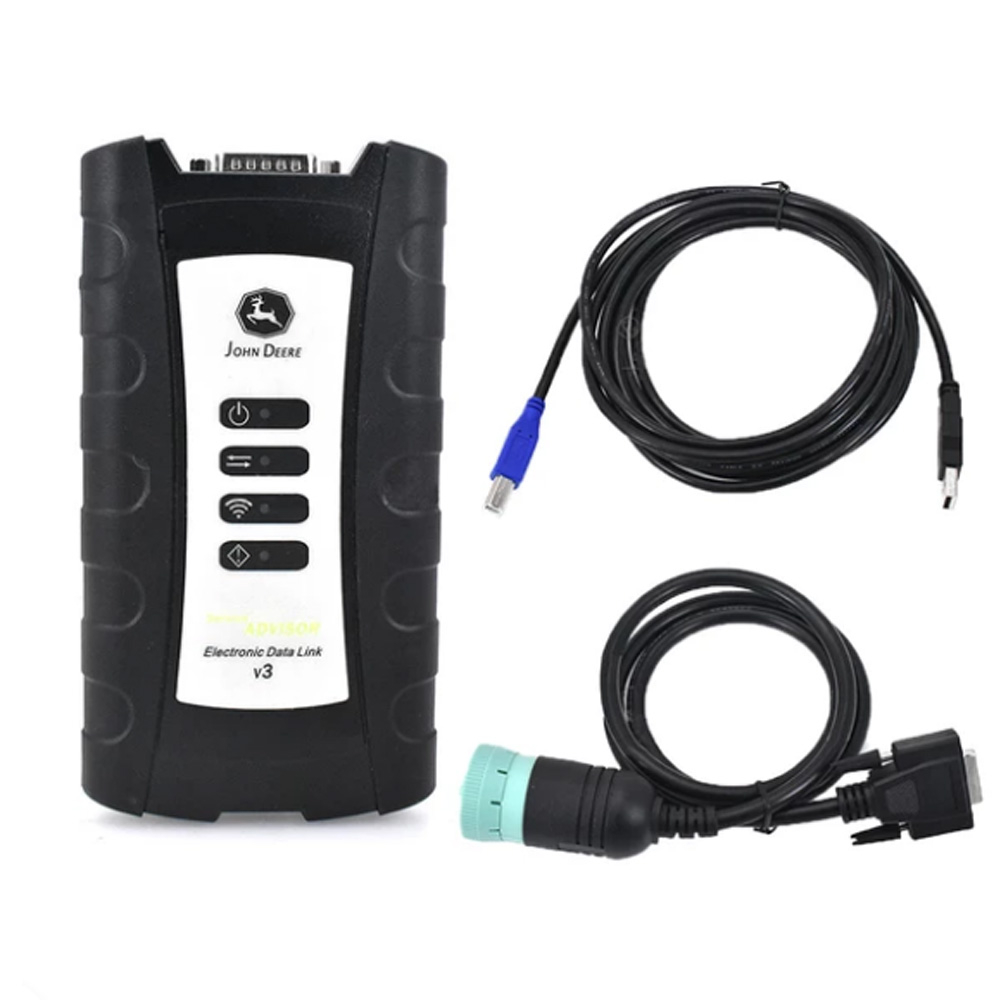
EDL v3 Electronic Data Link Adapter-1

John Deere Service Advisor EDL V3 (EDL V3) is genuine dealer diagnostic PC-to-vehicle interface compatible with Service ADVISOR software. With Service ADVISOR you can view service manuals, use DTAC (Dealer Technical Assistance Center) data, make diagnostics, readings, tests and calibrations, re-program controllers.

cnobd2tool 發表在 痞客邦 留言(0) 人氣()

 
Cummins INLINE 7 Data Link Adapter Cummins Truck Diagnostic Tool with Cummins Insite 8.5/8.7 Software

Description: New Cummins engine diagnostic tool Cummins INLINE 7 Data Link Adapter has a faster processor, more robust algorithms, larger memory buffers and more sophisticated filtering than previous models while simultaneously accessing multiple vehicle data channels

cnobd2tool 發表在 痞客邦 留言(0) 人氣()

EDL v3 Electronic Data Link Adapter-1
EDL V3 Electronic Data Link with Service Advisor SA 4.2 Software Compatible for John Deere
EDL v3 Electronic Data Link Adapter for John Deere,with Service Advisor SA 4.2 software. This is the newest adapter from John Deere, and it replaces the EDL v2 for John Deere. EDL V3 has improved USB connector, increased memory RAM, and vehicle communications processor

cnobd2tool 發表在 痞客邦 留言(0) 人氣()

1 2 3 4 5
Blog Stats
⚠️

成人內容提醒

本部落格內容僅限年滿十八歲者瀏覽。
若您未滿十八歲,請立即離開。

已滿十八歲者,亦請勿將內容提供給未成年人士。