Launch X431 icarscan is an Automotive Diagnostic Device powerful than easydiag.The iCarScan VCI (vehicle communication interface) can turn your Android smartphone / tablet into a professional automotive diagnosis tool. Users can communication with automotive’s OBDII socket via BlueTooth with an Android smartphone/ tablet, to achieve full systems and full function diagnosis, include reading/ clearing trouble codes, data stream, actuation test, adaptation, ECU coding & programming, oil reset, other special function, etc.
- Apr 23 Thu 2020 17:29
-
Launch Icarscan Super Launch X431 idiag for Android Support Car list
- Apr 22 Wed 2020 22:11
-
Isuzu G-IDSS Update Install Guide

This post is available with how to install Isuzu G-IDSS diagnostic software. Hope it helps!
What is Isuzu G-IDSS
Isuzu G-IDSS is short called of Global Isuzu Diagnostic Service System (G-IDSS),is designed to support Isuzu Commercial Vehicles. Vehicle / engine configurations and controller systems will be supported for future vehicles. Program supports Isuzu manufactured product models. Export (all regions except Norht America) and Domestic.
Isuzu G-IDSS support language
English, Spanish, Chinese, German, French, Japanese, Thai, Turkish, Ukrainian, Greek, Hungarian, Italian, Indonesian, Vietnamese.
Isuzu G-IDSS support OS
VISTA, Win7 x32, Win7 x64, Win98, Windows 8 x32, WinJapan, WinNT.
Isuzu G-IDSS support car list
ISUZU_G-MC:1996-1999 NPR Diesel and F Series Include NPR/W 3500, NPR HD/W 4500, This is for 6.0L V-8 Gasoline Engines only, 7.8L.
Heavy-duty: ISUZU 6HK1 Engine 6WG1 6WF1
Isuzu: NPR, NPR HD, NQR, NRR, FTR, FVR, FXR with 6HK1 LG4 Engine, NPR, NPR HD,NQR, NRR with 5.2L (4HK1) or 3.0L (4JJ1) Diesel engine. 6.0L V-8 Gasoline Engine.
Isuzu G-IDSS update Install guide
You need to know before beginning
1.Your IDSS must be up to date.
2.Your old registration information will automatically be migrated to the new IDSS software.
3.DO NOT uninstall your current IDSS software through the Add / Remove program area in Windows. The New IDSS installation procedure handles removing your current IDSS.
4.If you experience permission issue warnings during the installation process try to reboot your computer and login as an Administrator.
5.The entire process to install NEW IDSS can take up to 4 to 5 hours.
Procedures:
- Apr 15 Wed 2020 14:55
-
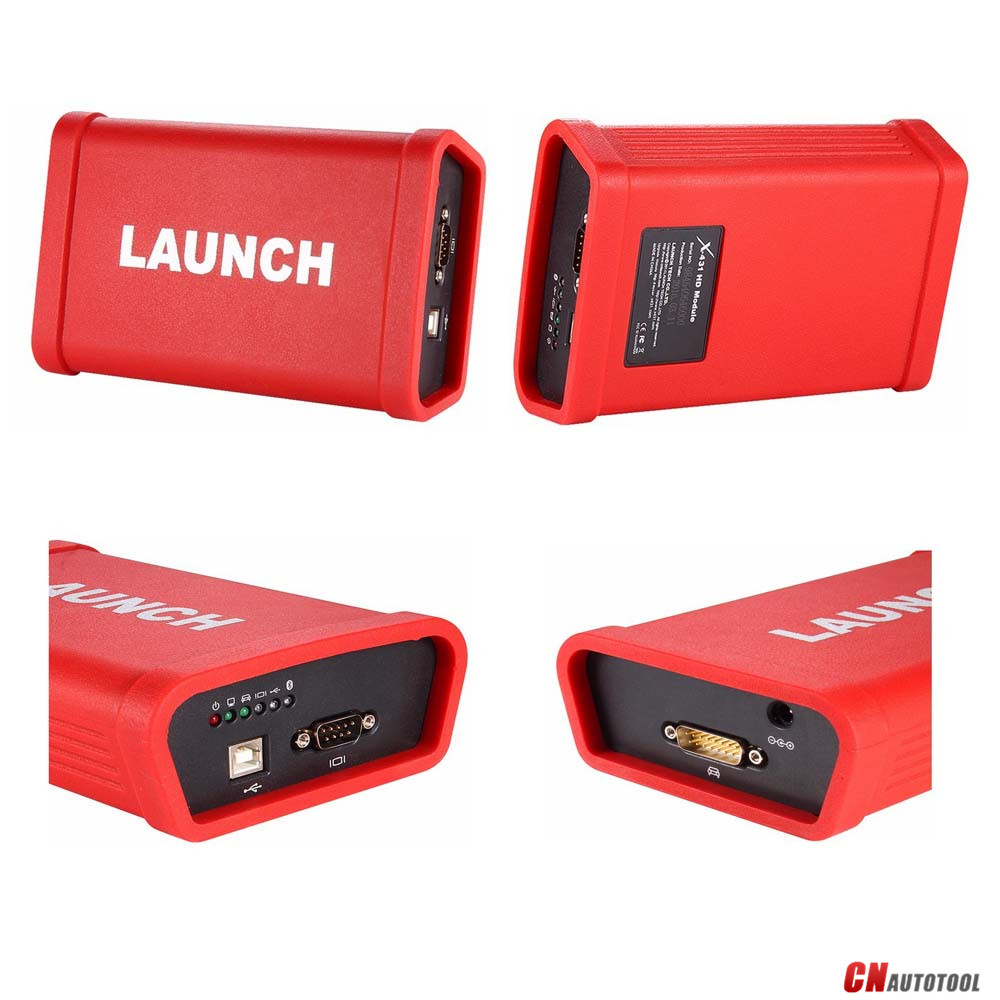
LAUNCH X431 HD Heavy Duty Truck Diagnostic Adapter
- Mar 15 Fri 2019 21:20
-
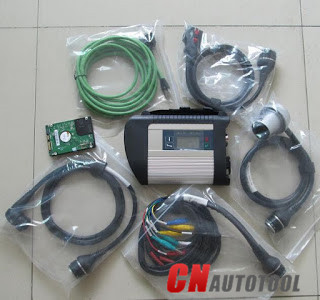
(Solved) SD connect C4 NOT Connected via LAN or WIFI
Here are optional solutions for those with a Sd connect C4 but cannot be connected via LAN (or wifi).
Operation system: Window 7
Static IP: 172.29.127.xxx
Battery: the 6 batteries are installed, fully charged
Error message:
when I connect it to the MUX (the 6 batteries are installed) it tries to connect but it gives up after a minute or two and I have a yellow triangle over the network icon in the taskbar.
The display on the MUX shows that its number is 00, it also displays a cable icon and a countdown timer and the message “Device not in use”
SD connect C4 NOT Connected via LAN or WIFI
The display doesn’t show the wifi option, only the cable icon.
When I start SDConnect Administration Toolkit it says the MUX is not cable accessible.
Possible solutions from users:
Option 1: LAN adapter
Open it and check the LAN adapter soldering if it gone loose
SDConnect relies on broadcasts/multicasts (like the DHCP protocol) to discover SDConnect devices. They can be con completely different subnets and be “detected” but you cannot interrogate or configure them until you get their IP addresses configured for basic management setup.
Option 2: Toolkit
For Connection you´ll need the Toolkit.
WLAN is not seen until configured, if you reseted the SDConnect you´ll need to reconfigure it with the Toolkit.
Option 3: Battery
You may try forcing your NIC in your laptop to 100Mb/Full Duplex, as many will default and negotiate to 1Gb/s, which I don’t believe some of the SDConnects talk over too well.
Also, FWIW, I have been getting an error 750 when trying to communicate to the SDConnect recently. The connection seems very unstable. I have only used a direct Ethernet connection. I have not investigated it very much, but I have resorted to the C3 for right now, which has never failed with 1.2012.
I reset it back to factory settings as well. I have not had an opportunity to investigate it to any extent, so I am unsure what the problem may be, but SD NetContol is stating a Network Error to the SD Connect. It is all connected via CAT6 and no WiFi.
It is best practice to remove the batteries form the SDConnect when not changing firmware or leave them in there? I have quality rechargeable batteries I use and typically leave them in when changing firmware, but I have left them in for a longer period. When I removed the first set, the batteries clearly leaked but didn’t appear to damage the SDConnect and I throughly cleaned it and it has worked since them. For more information,please visit our website www.cnautotool.com
- Mar 14 Thu 2019 15:34
-
Ford VCM 2 VCM II IDS Performance & Function Testing Report !
Highlights of VCM II VCM2 for Ford Mazda Diagnostic Tool:
1. Newest Software Version: IDS Ford V109 , Mazda V107
2. Two models available: Ford and Mazda
3. Multi-language: English, Italian, Spanish, Spanish(Mexico), French, French(Canada), German, Dutch, Finish, Danish, Greek, Slovenian, Amer English, Vietnamese language, Turkish, Thai, Swedish, Russian, Portuguese, Portuguese(Brazil), Polish, Norwegian, Korean, Japanese, Indian, Czechic, Chinese(Taiwan), Chinese(China)
4. Update: Via CD
5. Operating System: Windows XP
6. Vehicles Coverage: VCM II provides full dealer diagnostic capabilities for most 16 pin for Fords and Mazda, including all new 2017 for Ford vehicles
7. Best Quality, better than J2534 mode interface.
Ford VCM II honest experience shared by CnAutotool.com customers will be introducted here,by which,i belive you will better know about VCM 2 VCM II IDS Diagnostic Tool.
Original Post For Ford VCM 2 VCM II IDS Reviews
“Received my ford vcm 2 last week,and i have tested,it works great without any problems.
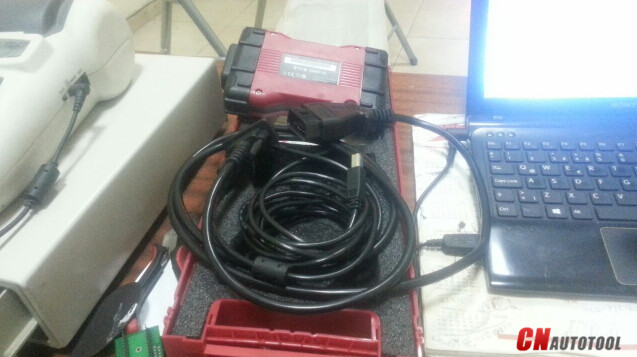
And following is the vcm 2 function testing report
-Automatic vehicle recognition—yes !
-Read & Clear Diagnostic Trouble Codes (DTCs)—yes !
-Live Data-stream with Recording & Playback Functions for Main ECUs—yes !
-Guided Fault Finding—yes !
-New Software Re-flash for Existing ECUs—yes !
-Programming & Installation of new ECUs (PCM, ABS, Instrument Cluster, Air Bag, Fuel Pumps, etc.)—yes !
-Program New Keys—yes !
-Injector Coding—yes !
-Set, Adjust or Remove Speed Governors—yes !
-DPF Regeneration—yes !
-Brake Bleeding—yes !
-Steering Angle Resets—yes !
-All Other Dealer Functions—yes !
Performance Tested Results
1.By far,Ford vcm 2 was the costive but most stable OEM diagnostic scanner tool to use.
2.Features Testing Sharing
3.English,German,French,Italian,Spanish,Netherlands,Swedish,Danish,Norwegian,
Portuguese,Slovak Multi-Languages available—yes !
4.Used IDS software, provide full dealer diagnostic capabilities for most 16 pin cars 1996-2015, including for all new 2013 vehicles—True !
5.Easy to use, communicated via OBDII port.
Personally Suggestion For Ford VCM II Diagnostic Tools
1. Only for Ford Mazda cars,not for trucks,if can support both cars and trucks more better
2. Dont support online updating,currently,only support Ford IDS V101 and Ford IDS V94,if can support latest IDS software,it will be more attractive.
3.Cant install Ford Mazda software in the same PC and to use for Mazda car,need to downgrade software to v94 first,this part can also be improved.
- Mar 13 Wed 2019 10:59
-
Where to get MB SD C4 Full chip SD Connect Mux Compact 4 SCN ONLINE ACCOUNT
MB SD C4 as a dealer level diagnostic tool which equip all original function. SD CONNECT MULTIPLEXER is most popular 4s shop special Mercedes Benz Scanner. MB SD C4 Multiplexer request after-sales service more more than other device. So before you decide to get one benz sd c4 multiplexer you would better to get super after-sales service.
MB Star C4 Wifi Sd Connect Mux C4 for Benz car truck 12v / 24v Full Chip PCB C4
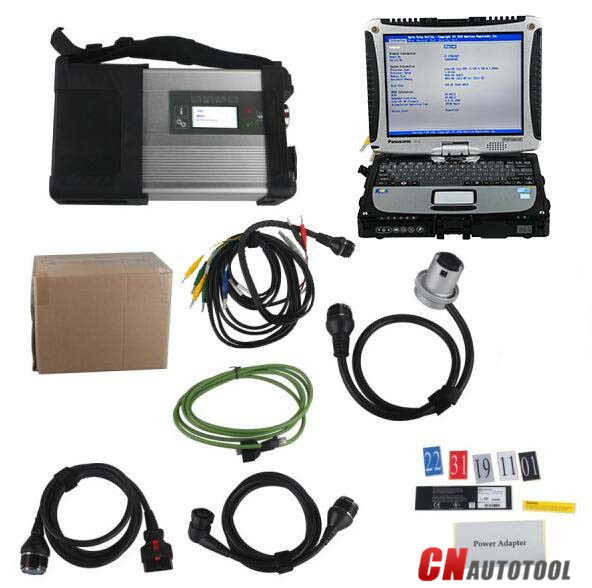
CnAutotool.com Kindly note:
2. MB SD C4 multiplexer can only send. 2. MB SD C4 multiplexer can only send back to supplier for repair.
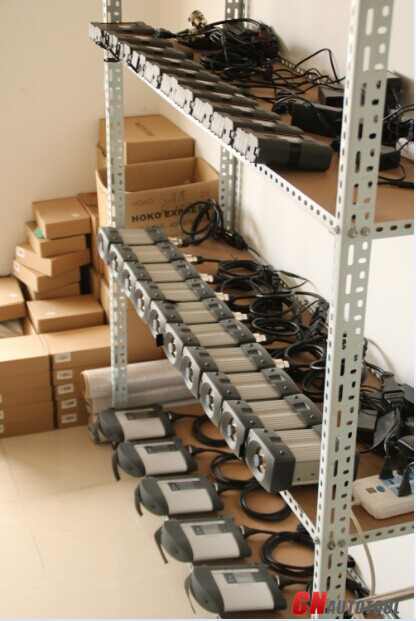
Why choose high quality MB SD C4 from CnAutotool.com?
1. SD Connect Serial Number 100925 (CnAutotool.com Kindly note: serial number 101923 or 101044 SD CONNECT may be locked when you update firmware)
2. Star Diagnosis SD Connect C4 firmware update available.
3. CnAutotool.com offer online scn coding Account For Online Programming Function.
3. DAS / XENTRY Software From CnAutotool.com Have Blask List Path Can Help Sd Connect C4 Mux Avoid Locked.
4. Full New Chips Layout On PCB Board Which Include UDS Chips Which Support Scn Online Via Dealer Account Coding.
5. All SDConnect Will Be Power On And Aging Than 12 Hours, And It Will Be Tested 3 Times With Ecus Before Shipping
6. MB SD C4 Mutiplexer Have 1 Year Free Warranty, We Offer Free After-Sales Service For device from us under warranty.
- Mar 12 Tue 2019 21:26
-
Caterpillar SIS CAT SIS 201805
Caterpillar SIS (CAT SIS) 2018 is illustrated a guide to the maintenance and repair of the full range of CAT vehicles, contains guidance on repair equipment and machinery Caterpillar, program help diagnose production Caterpillar, operating instructions spare parts and equipment Caterpillar.
Repair manual Caterpillar SIS 2018 is intended for engineers and will be useful to all interested in the given direction.
E-program CAT SIS Web allows the owner of specialized equipment to quickly and easily find the required information about the machine because it contains a search function references; helps professionals to calibrate equipment Caterpillar, diagnose it and troubleshoot equipment to solve any problems.
We’re getting a lot of questions about how to work with the CAT SIS
It’s simple and convenient for use. All you need to know is your model name, or serial number, or prefix. Also, you can use Parts search function.
Caterpillar Service Information System is a completely offline product, no matter it works using Internet Explorer Browser (You connected to the local web server, which is being installed on your own PC/Laptop). The technical database for all CAT machinery stored on 19 DVD-DL discs or (iso images or these DVDs). The total file size of CAT SIS setup + Database files is around 100 Gb.
Download / Setup / Activation of CAT SIS 2018
1. Please check that your HDD have enough of free space. We recommend at least 150 Gb for Download and 50 Gb if you prefer get CAT SIS on USB HDD or as a set of DVDs
2. The CAT SIS works only under Windows 7/8.1/10 operation systems. Mac OS, Linux, etc are not supported.
3. Internet Explorer 9-11 is the only Supported browser, because application using WinDjView image plugin, which works with IE only.
4. Setup process estimated time is 1.5 hours if the download and extraction of the setup files have been finished.
5. We recommend to use our Free remote Assistance with Download, Setup and activation. However, if you want to set up the app by yourself, we can send you details instruction guide.
6. If you need to install Heavy Duty Truck diagnostic Scanner CAT SIS on more then 1 PC/Laptop, please contact us, we have some good news for you!
Company Caterpillar – the world leader in construction and mining equipment, diesel and natural gas engines and gas turbines.
The Cnautotool.com also is a leading provider of services provided through the company’s Caterpillar Financial Services, Caterpillar Remanufacturing Services, Caterpillar Logistics Services and Progress Rail Services.
For more than 80 years, Caterpillar Inc. promotes progress possible and driving positive and sustainable change on every continent.
- Mar 12 Tue 2019 20:42
-
Question on the new Maxisys MS906, MS906BT, and MS906TS
MS906TS is added TPMS function according to MS906BT.
AUTEL MaxiSYS MS906TS is definitely the latest addition to the MaxiSys item line of advanced wireless diagnostic devices integrated
together with the TPMS antenna module. The device is depending on the Android operating system featured together with the finest probable
coverage of OE-level diagnostics and TPMS integration. Using the highly effective Exynos 5260 6-core processor (1.three GHz
quad-core ARM Cortex-A7 + 1.7 GHz dual-core ARM Cortex-A15), an 8” capacitive HD touch screen, and long-distance
wireless communication, the MaxiSys MS906TS efficiently provides extensive vehicle diagnostics and evaluation
together with universal TPMS solutions.
Query on the new Autel Tools Maxisys MS906, MS906BT, and MS906TS
MS906 has precisely the same apperance with MS906BT, but MS906BT has a couple of benefit than MS906:
1. MS906BT is installed Bluetooth, permitting diagnosis wirelessly.
2. MS906BT’s diagnostic coverage involves premium car brands which include Maserati and Bentley, which would be required for high-end service shops.
3. MS906BT supports oscilloscope and digital inspection camera add-ons that are not supported by MS906.
4. Lastly, MS906BT has the capability to carry out coding for covered vehicles.
MaxiSys MS906TS from www.cnautotool.com is definitely the latest addition towards the MaxiSys product line of advanced wireless diagnostic devices integrated with all the TPMS antenna module. The device is depending on the Android operating program featured using the finest doable coverage of OE-level diagnostics and TPMS integration. Utilizing the strong Exynos 5260 6-core processor (1.three GHz quad-core ARM Cortex-A7 + 1.7 GHz dual-core ARM Cortex-A15), an 8” capacitive HD touch screen, and long-distance wireless communication, the MaxiSys MS906TS efficiently provides extensive car diagnostics and analysis in conjunction with universal TPMS solutions.
- Mar 12 Tue 2019 18:18
-
Caterpillar SIS 2018 CAT SIS 2018
There are 2 options for you to choose before order please:
1. Software is in a 320G hdd before shipment, the customers need to install it and active it in the laptop by themselves after receive the hdd.
2. Software would be installed well in a second hand dell d630 laptop before shipment, you could use it directly after you receive the dell D630 Laptop.
Languages: English, Spanish, Italian, Chinese, Mexican, German, French
OS: VISTA, Win7 x32, Win7 x64, Windows 8 x32, WinNT, WinXP
Date of update: 1/2018
The Caterpillar SIS 2018 (3D pictures) complete set contains the full information on spare parts, repair, electric circuits and etc. SIS has been tested using Microsoft Internet Explorer 5.5/6.0 on these platforms: Windows 2000 & Windows XP, VISTA and Windows 7.
SIS is the electronic service tool that Caterpillar dealers, customers and employees rely on for their parts and service information needs. SIS provides information for all Caterpillar machines and engines from 1977. SIS is available on the Internet, DVDs and a network version based on the DVD standalone application.
CAT SIS Web is updated continually and is the most complete and up to date version of SIS. SIS DVD and Network SIS use the same information that is located on the monthly data DVD’S. The time required to stage and ship the DVD’S to Dealer’s and Customer’s accounts for the delay in information that may be available from SIS DVD/Network.
SIS DVD is the standalone version of SIS and is required when the Caterpillar Inc. server for either SIS Web or the Dealer server for Network SIS is not available. Field Mechanics may be the largest group that uses SIS DVD. All three versions of SIS require an Internet Browser to display SIS information.
Caterpillar STW
The Service Technician Workbench is an integrated package of software tools, designed to assist the Caterpillar Service Technician during the machine repair process.
STW provides common installation of the following service software applications: STW Toolbar (STW Lauchpad), Service Information System (SIS), Cat Electronic Technician(Cat ET), CBT Component Based Troubleshooting (CBT), Technical Analisis I (TA1) & Technical Analisis II (TA2), and Service Report.
STW Features:
Allows user to send data from SIS, TA and Heavy Duty Diagnostic Cat ET to an Electronic Service Report. All information about the repair is in one location.
Allows user to attach Cat ET Warranty Reports to the STW service report.
Allows user to attach digital photos to further document the repair.
A single source of support ? DDS Support Center
Electronic service reports are easier to archive than paper service reports.
Integration between Component Based Troubleshooting (CBT), Service Information System (SIS), Cat Electronic Technician (Cat ET), Flash File Search and Service Report.
The DBS Upload utility increases dealer efficiency by eliminating the need for the technician to re-type data into the service report, already created in DBS. This information is sent from DBS to STW to create a STW service report.
STW Lauchpad
The STW Launchpad allows to you: Conveniently launch Service Software Applications, Manage some common SIS/CBT preferences.
Families/Models/Prefixes
BROOM-ANGLE, SAHL BROOM, BCG
GENERATOR SET, 3516B, EDG
INDUSTRIAL ENGINE, C7.1, G9R
GENERATOR SET, C6.6, LC6
EXCAVATOR, 336F LH, LTP
MOTOR GRADER, 12M 3, N9F
MOTOR GRADER, 160M 3, N9L
ARTICULATED TRUCK, 725C, TFB
WHEEL TRACTOR-SCRAPER, 621K, WTL
ENGINE – MACHINE, C9.3, WYE
EXCAVATOR, M315D 2, CH3
GENERATOR SET, 3516B, JCY
HAMMER, B30, MAY
MOTOR GRADER, 140M 3, N9M
MOTOR GRADER, 12M 3 AWD, N9P
MOTOR GRADER, 12M 3, N9R
ENGINE – MACHINE, C9, SYE
PACKAGE, 3.4B IOPU, CJ3
BROOM-ANGLE, SAHL BROOM, H1W
GENERATOR SET, 3516C, JDH
EXCAVATOR, 336F LH, KGH
MARINE ENGINE, C140-16, P3P
ENGINE – MACHINE, C9, SSE
EJECTOR TRUCK, 730C, TFH
ARTICULATED TRUCK, 725C, LFB
MINI HYD EXCAVATOR, 300.9D, LJ2
MOTOR GRADER, 140M 3 AWD, N9J
EXCAVATOR, 336F H, NAJ
EXCAVATOR, 320E, SHX
WHEEL TRACTOR-SCRAPER, 627K LRC, WTN
BROOM-ANGLE, SAHL BROOM, BAW
EXCAVATOR, M317D 2, CH5
EXCAVATOR, 336E H, HDW
ARTICULATED TRUCK, 730C, LFF
EJECTOR TRUCK, 730C, LFH
MINI HYD EXCAVATOR, 301.7D, LJ4
MINI HYD EXCAVATOR, 302.7D, LJ7
MOTOR GRADER, 160M 3, N9E
ENGINE – MACHINE, C9.3, SYE
ARTICULATED TRUCK, 730C, TFF
WHEEL TRACTOR-SCRAPER, 627K, WTC
EXCAVATOR, 336E LH, JEA
MINI HYD EXCAVATOR, 302.4D, LJ6
MOTOR GRADER, 160M 3 AWD, N9T
ENGINE – MACHINE, C13, T4F
TRACK-TYPE TRACTOR, D6R, WBC
GENERATOR SET, 3516, JCW
MINI HYD EXCAVATOR, 301.4C, LJ3
MINI HYD EXCAVATOR, 302.2D, LJ5
MOTOR GRADER, 12M 3 AWD, N9B
MOTOR GRADER, 140M 3 AWD, N9G
MOTOR GRADER, 160M 3 AWD, N9K
WHEEL TRACTOR-SCRAPER, 621K, WTA
WHEEL TRACTOR-SCRAPER, 623K LRC, WTM
GENERATOR SET, 3516B, JDE
GENERATOR SET, 3516C, JDJ
EXCAVATOR, 336F LNH, MTW
MOTOR GRADER, 140M 3, N9D
EXCAVATOR, 336F LH, PFL
TRACK-TYPE TRACTOR, D6N OEM, SC6
ENGINE – MACHINE, C9.3, SSE
WHEEL TRACTOR-SCRAPER, 623K, WTB
STW Service Report
The STW Service Report is a tool to help you collect, report, and organize your service jobs.
– Allows for complete documentation of your repair.
– Reduce duplicate typing of Service Reports
– Easy to read
– Spell check
Easy integration with Dealer Business System (both DBS and DBSi):
Download header information from DBS
Upload service information to DBS after your job is completed
Collect information from other service tools, including:
Parts lists from SIS
ECM summaries and reports from Cat ET
Inspection lists from Technical Analysis (TA)
Component Based Troubleshooting
Component Based Troubleshooting (CBT) helps the technician troubleshoot symptoms and codes for Caterpillar engines and machines. After identifying a symptom, the technician is presented with a list of components that, if not operating properly, may cause the symptom. By using the information provided for each component, the technician can identify the root cause of the symptom and fix the problem. The technician is also presented with a list of available ECMs and codes for the selected model to troubleshoot diagnostic codes. In addition, Heavy Duty Truck Scanner gives the technician links to related information for symptoms and codes in the Service Information System (SIS).
Total: (Caterpillar SIS 2018 )
Caterpillar Disc #1: EXCAVATORS, OEM PRODUCTS
Caterpillar Disc #2: ELECTRIC POWER GENERATION
Caterpillar Disc #3: MARINE ENGINES, PETROLEUM PRODUCTS, TRUCK ENGINES
Caterpillar Disc #4: INDUSTRIAL ENGINES
Caterpillar Disc #5: EXCAVATORS, OEM PRODUCTS
Caterpillar Disc #6: PIPELAYERS, TRACK TYPE TRACTORS
Caterpillar Disc #7: INTEGRATED TOOLCARRIERS, WHEEL TYPE LOADERS, WHEEL TRACTOR SCRAPERS
Caterpillar Disc #8: WHEEL TYPE LOADERS
Caterpillar Disc #9: ARTICULATED DUMP TRUCKS, LOAD HAUL DUMP, MACHINE CONTROL GUIDANCE PRODUCTS, OFF HIGHWAY TRUCKS, UNDERGROUND ARTICULATED TRUCKS, ON HIGHWAY TRUCKS
Caterpillar Disc #10: BACKHOE LOADERS, CHALLENGERS, COMBINES, MINI EXCAVATORS, SKID STEER LOADERS, TILLAGE, TELSCOPIC MATERIAL HANDLERS, WORK TOOLS
Caterpillar Disc #11: ASPHALT PAVERS, COLD PLANERS, COMPACTORS, MOTOR GRADERS, ROAD RECLAIMERS
Caterpillar Disc #12: EXCAVATORS
Caterpillar Disc #13: TRACK TYPE TRACTORS
Caterpillar Disc #14: EXCAVATORS, OEM PRODUCTS
Caterpillar Disc #15: EXCAVATORS, OEM PRODUCTS
Caterpillar Disc #16: EXCAVATORS, OEM PRODUCTS
Caterpillar Disc #17: EXCAVATORS, OEM PRODUCTS
Caterpillar Disc #18: EXCAVATORS, OEM PRODUCTS
Caterpillar Disc #19: EXCAVATORS, OEM PRODUCTS
- Feb 19 Tue 2019 11:53
-
Cat Service Information System (SIS)
Do you want to stay on top of your repair and maintenance costs? Use the same tool that Caterpillar and Cat? Dealers use: Cat ET Service Information System (SIS). SIS is available by subscription via the Web, Network or DVD. CAT SIS covers every Cat product from 1977 through today. With SIS, you get access to 1.5 million part numbers, 2 million graphics and thousands of parts and service documents.
Using SIS provides fast searches, keeps you up-to-date with the latest information, eliminates outdated information in print and makes it easier to order parts, even after normal business hours. Make Cat SIS your single safe source for Cat parts and service information. Call your local Cat dealer for more on Web, Network and DVD subscriptions.
Cat Service Information System (SIS)
Improve Efficiency, Minimize Downtime
* Interactive Schematics
* 2D Hotpointed Graphics
* Streamline repair and maintenance operations with troubleshooting,
diagnostic and safety information
* Find exactly what you need with fast, efficient keyword searches
* Get the latest information with automatic updating
* View three decades worth of information on every Cat product
* Eliminate lost, missing and out-of-date paper manuals
* Take information into the field with a DVD subscription
* Rely on one safe source for parts and service information
Heavy Duty Truck diagnostic Scanner Cat SIS DVD recommended system requirements:
* 2.0 GHz Pentium-compatible processor
* 2GB of RAM
* 9-16+ GB of Free Hard Drive Space available through 2011 to allow for growth in graphics
* Optional file transfer device (such as a 3.5” disk drive or USB port and compatible Jump-drive)
* Third generation DVD drive capable of reading dual layer DVDs
* Monitor capability of supporting 1024 x 768 resolution and Open GL supported Graphics Card (Recommend 128MB+ RAM)
* Pointing device, built-in or external
* Hewlett Packard LaserJet V or compatible printer
* Microsoft Windows (XP, Vista and Windows 7)
* Microsoft Internet Explorer version 7.0 or 8.0 (must support Java Script and
Cat Dealers define worldclass product support. www.cnautotool.com offer you the right parts and service solutions, when and where you need them. The Cat dealer network of highly trained experts keeps your entire fleet up and running to maximize your equipment investment.
- Feb 14 Thu 2019 17:18
-
Comparation Autel MaxiSys MS906 VS MS906TS VS MS906BT
MaxiSys MS906 VS MS906TS VS MS906BT have the same function, but also have many different as follow:
A:Function: MS906<MS906BT < MS906TS
B.MS906TS is added TPMS function based on MS906BT.
C.MS906 has the same apperance with MS906BT, But MS906BT has a few advantage than MS906:
1. MS906BT is installed Bluetooth, allowing diagnosis wirelessly.
2. MS906BT’s diagnostic coverage includes premium vehicle brands such as Maserati and Bentley, which would be required for high-end service shops.
3. MS906BT supports oscilloscope and digital inspection camera add-ons which are not supported by MS906.
4. Finally, MS906BT has the capability to perform coding for covered vehicles.
The MS906BT have all the capabilities of the maxisys mini ms905 as far as vehicle coverage and capabilities for codes, live data, actuation tests, adaptations and ECU cnautotool .com paring the new MS906BT to the MS905 and they are similar in size but the MS906BT seems to have improvements such as faster processors, slightly larger screen, twice the battery capacity and better camera
MaxiSys MS906BT is the latest addition to the MaxiSys product line of advanced wireless diagnostic devices. The device is based on the Android operating system featured with the best possible coverage of OE-level diagnostics and ECU coding capability. Utilizing the powerful Exynos 5260 6-core processor (1.3 GHz quad-core ARM Cortex-A7 + 1.7 GHz dual-core ARM Cortex-A15), an 8” capacitive HD touch screen, and long-distance wireless communication, the MaxiSys MS906BT efficiently provides comprehensive vehicle diagnostics and analysis.
- Feb 14 Thu 2019 16:11
-
caterpillar ET 2017C Diagnostic Software
Cat ET 2017C (caterpillar Electronic Technician) is an updated version of the dealer level program for the diagnosis of all equipment caterpillar.
This program works with the dealer diagnostic scanner caterpillar Communication Adapter, as well as other adapters for diagnostics including scanner Nexiq; the program provides the full information when troubleshooting.
This diagnostic tool Cat ET allows service technicians to reprogram ECMs, reconfigure control system parameters, fine-tune performance or diagnose the cause of failure for the first time. These powerful tools allow service personnel to display and analyze vital performance and health information from any system quickly and accurately.
When you purchase a program Cat ET (Cat Electronic Technician) 2017С, you get detailed and clear instructions on how to activate it. But if you have difficulties or questions concerning the installation, we are helping you to enable the software remotely via TeamViewer free of charge, without any additional fees.
We recommend using only Heavy Duty Truck diagnostic Scanner genuine caterpillar comm III
Heavy Duty Diagnostic Cat ET diagnostic app allows you to:
View active and logged diagnostics.
View events where irregularities occurred and were logged by the ECM.
View the status of a group of parameters (temperatures, pressures, etc.) simultaneously.
Record and log performance data.
Graph a group of status parameters.
View the current configuration of an ECM.
Change ECM configurations.
Perform diagnostic tests.
Perform calibrations.
Print reports and diagnostic results.
Please keep in mind that some ECM settings, for example, speed limit requires factory password. The factory password generator not included in this application
What’s New – cat Electronic Technician 2017C
Preferences Option to Save a Product Status Report to PDF
The OBD2 vehicle diagnostics Preferences dialog for the Product Status Report has changed. The dialog contains a new checkbox to automatically save a Product Status Report as a PDF file when the report is created. The service tool will continue to automatically save Product Status Reports as an XML file.
